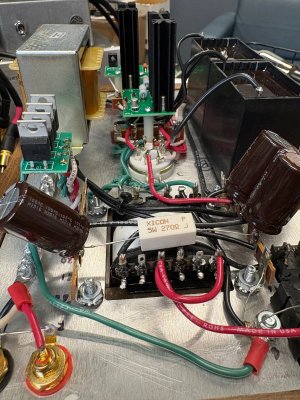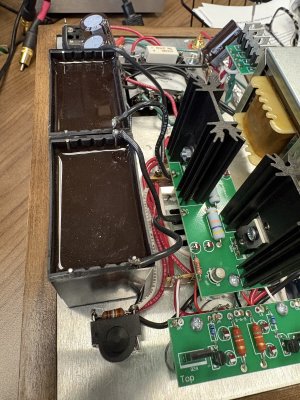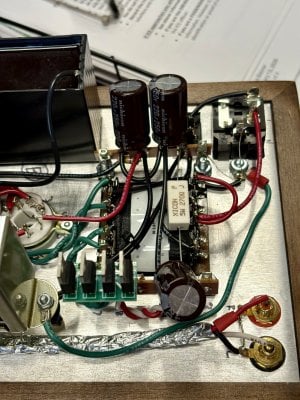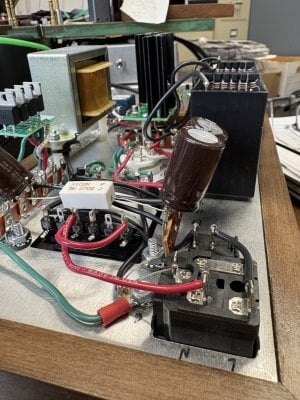
Left channel cutting out

ShaolinGrump

New member
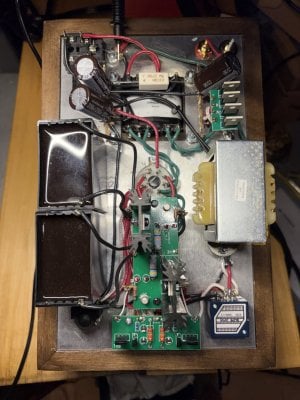
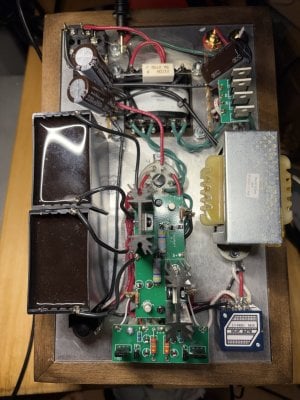
I’ve had a slowly worsening problem with the left channel on a Bottlehead Crack+Speedball. I didn’t build it. So I don’t have the manual. I bought it from the builder on head-fi. It worked fine for a year or so. Then the left channel became unstable.

I have tried various tubes and headphones. The problem persists with any tube combo.

The problem is strange with balanced headphone cable to SE plug adapters. The signal strength can drift between channels before cutting out on the left.

Touching the 12au7 or top plate can make the left signal cut in and out.

I have re-flowed the solder on some joints that I can reach.

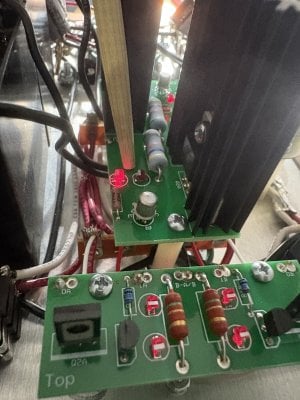
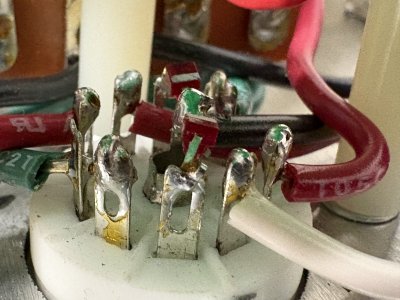
Reading other threads, I think the problem is the LEDs, their legs or solder points on the 12au7 socket. I haven’t found the replacement LEDs yet to order some.

Another theory: the builder used large Panasonic DC 500 V 100mf 20-49X. These “upgrades” might be causing issues that I don’t have knowledge and skill to understand.
 

Attachments

  • IMG_9428.jpeg
    IMG_9428.jpeg
    1.9 MB · Views: 8
  • IMG_9425.jpeg
    IMG_9425.jpeg
    3 MB · Views: 7
  • IMG_9421.jpeg
    IMG_9421.jpeg
    2 MB · Views: 6
  • IMG_9419.jpeg
    IMG_9419.jpeg
    2.6 MB · Views: 6
  • IMG_9410.jpeg
    IMG_9410.jpeg
    1.8 MB · Views: 8
Why do you believe the problem to be the LEDs?

There's a solder joint in there that isn't 100% soldered, or a broken wire. It would be very helpful to know what the DC voltages are on terminals 1-10 when the problem is acting up.
 
I'd do the following:
  1. Send me an email at Jameson(at)Bottlehead(dot)com and I'll shoot you an invoice for a copy of the manual ($10). This will show you the circuit so you can see where modifications were made, and you can conduct resistance and voltage checks to see if you can find any issues.
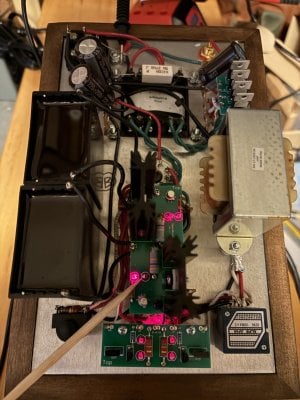
  2. Grab a wooden or other non-conductive stick (I use a bamboo chopstick for this) and plug a cheap set of headphones into the jack. Poke around at joints underneath and see if any of them make noise or temporarily fix the issue. This helps identify where a dodgy solder joint could be hiding so you can focus your effort.
 
I'd do the following:
  1. Send me an email at Jameson(at)Bottlehead(dot)com and I'll shoot you an invoice for a copy of the manual ($10). This will show you the circuit so you can see where modifications were made, and you can conduct resistance and voltage checks to see if you can find any issues.
  2. Grab a wooden or other non-conductive stick (I use a bamboo chopstick for this) and plug a cheap set of headphones into the jack. Poke around at joints underneath and see if any of them make noise or temporarily fix the issue. This helps identify where a dodgy solder joint could be hiding so you can focus your effort.
Email sent
 
Why do you believe the problem to be the LEDs?

There's a solder joint in there that isn't 100% soldered, or a broken wire. It would be very helpful to know what the DC voltages are on terminals 1-10 when the problem is acting up.
Bad guess probably about the LEDs. I haven’t checked DC voltages before. Do I take the tubes out for the DC tests? I think I have the other steps and precautions figured out.

EDIT: I have the manuals now. I’ll check DC voltages tonight.
 
Last edited:
DC voltage check doesn’t look good. An LED on the Speedball is dark. Music plays quietly in the left channel with volume set to about 50% on the pot. Right channel played music at expected volume. No weird noise with the chopstick probe in any place I tried. Terminal 3 did a scary spark several times, but not until I was trying 3rd or 4th measurements.
  1. 73.8
  2. 102.1
  3. 0.1-1.3 loud bright spark
  4. 101.2
  5. 63.5
  6. -0.1-1.5
  7. 77.7
  8. 0-0.5
  9. 61.3
  10. -0.1IMG_9439.jpeg
 
Terminal 3 is a ground terminal. If you're getting sparking from that terminal, then one of the wires landing there isn't well soldered.

Most of the joints I see on your PC boards need more heat with your soldering iron to flow out all the way.

-PB
 
Back
Top