Just finished build: voltages on one side are bad [resolved]

Guy001

New member
Could use some help diagnosing what I've done wrong or if I've got a bad part on my just-finished Crack-a-two-a.

Voltages are:
Low current C4S
IA 4.3V
OA 3V
KregA 1.98V
bRegA 4.4V
IB 149.1V
OB 73V
KregB 5.39V
bRegB 149.1V

High Current C4S:
IA 216.2V 198.2V
OA 1.0V 149.2V
bA 0V 0V

IB 0V 0V
OB 1.4V 96.4V
bB 0.8V 149.1V

And as might be expected, a bunch of the LEDs aren't lighting, but I imagine that's a result of whatever's causing the incorrect voltages. I can post which if it helps.

Any advice?
Thanks
Peter
 
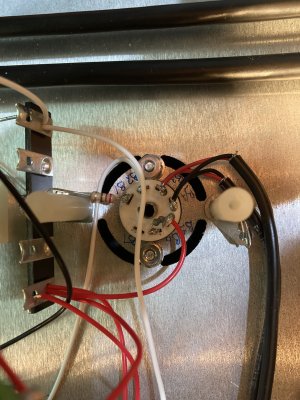
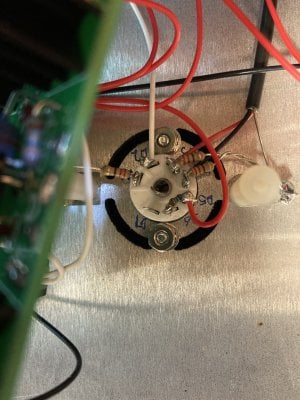
Did you happen to wrap the wires on the 7 pin sockets around the sides of the socket terminals, or over the top?

If pins 4 and 5 touch on a 7 pin socket, you'll get the exact problem you're experiencing.
 
Hi Paul;

I did go round the side and got worried about how close the wire was coming to the pin after soldering so I switched to over the top from then on.
But there's no continuity between 4 and 5 on either socket.

Initially when I checked the B socket, I pulled the tube and measured from the top. My meter indicated a short, but it turned out I got the wrong two pins and was measuring between pins 3 and 4. There's only 1 ohm between 3 and 4, which seemed suspect enough to mention considering the color of the wires connected to them.

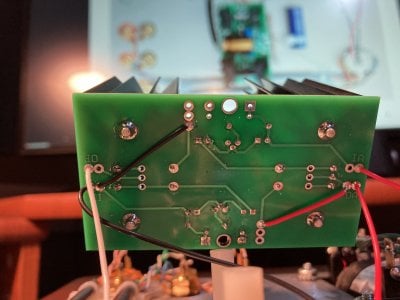
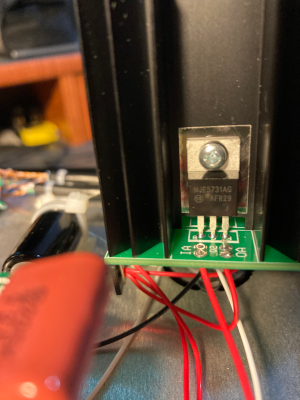
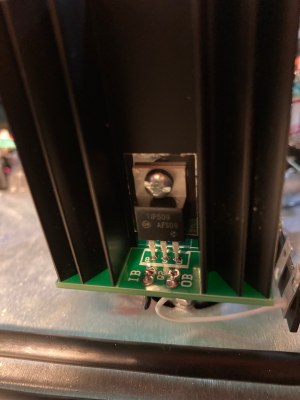
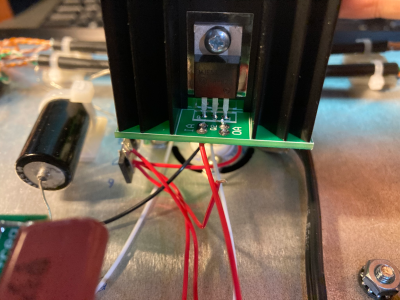
IMG_0371.JPEGIMG_0372.JPEG
 
The wiring I see on that 5 lug terminal strip is largely devoid of solder, and the wire jacket is going into the hole on the terminal strip. This would have me concerned that a wire simply isn't properly connected somewhere.

Still, I'd remove the red wire that departs OA going to the rest of the build and see if that allows the voltage at OA to pop up to over 150V DC.

If that doesn't work, it looks like the solder joints on R1A aren't 100%, I'd add a lot more heat and a little more solder.

-PB
 
Removing the red wire from OA didn't change anything. It's still reading near 0V.

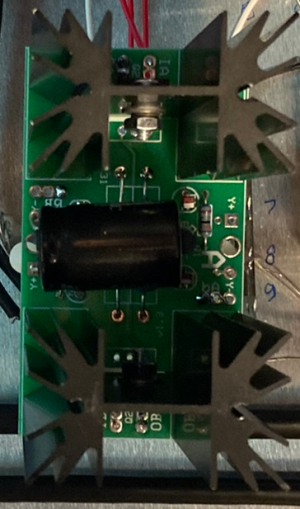
By R1A, are you talking about the IA pad to the left of the OA pad that I removed the red wire from? I reflowed and added solder to that joint, but it didn't make any difference to the voltage at OA. Pic shows the IA after resoldering.

FWIW, I also added solder to all joints on the terminal strip with connections: 6U, 6L, 8U, 8L, 10U and 10L. The lugs with the wires that look like their insulation is entering the hole are solidly soldered on the back side of the lug... I expected the metal on the back side was just punched through from the front and checked continuity was good after soldering. I could redo all those joints, but it's a little cramped in there with the electrolytic cap in the way so hopefully that's not related to the voltage at OA and I can put it off while continuing to diagnose that problem.

Also, I imagine you've already inferred this but figured I'd just mention that on this board the two leds on the A side light and the two on the B side don't.

1770100646422.png
 
K, I actually touched up everything on the card and with the red wire connecting OA to the rest of the circuit still disconnected I'm now seeing 216V at OA and I have no leds lit at all. What'd I botch? (As in, do I need to be looking for a short now?)
 
Last edited:
K, I actually touched up everything on the card and with the red wire connecting OA to the rest of the circuit still disconnected I'm now seeing 216V at OA and I have no leds lit at all.
That's a change in behavior, which is now where I would have wanted it to be. You can hook that other red wire back up to OA and continue testing now that you have enough voltage to see if the shunt regulator is working.
 
Wow, I need to spend some time understanding the schematic. It looked to me like with 216V coming into that board and flowing through the two LEDs (I was seeing a voltage drop across them) and then through a 22k resistor to ground I had to have blown something up for them not to be lit.


But with the wire at OA soldered back in, I've got all four leds lit on that board, and good voltages everywhere now.

Thanks for all your help!

Update: And music coming out of the headphones!
:)
 
It's a little counterintuitive, that's for sure. When no current is drawn through a C4S, you'll see about the B+ voltage at the output, which was missing completely. Disconnecting everything after the C4S board helped me determine whether you had something yanking the output voltage to ground, or if there was something just preventing it from getting through the board in the first place.

Two of the LEDs on that board sit really close to ground potential, and the other two are at and slightly below B+ voltage. The big resistors provide a current path to allow the LEDs to illuminate and act as a voltage reference.
 
Back
Top